It's interesting that almost all of the functionality of Brasero could already be had from Nautilus (to burn data CDs and images), Rhythmbox (to burn audio CDs) and Totem (using the VCD/DVD burner plugin). Burning a CD from the media's application always made more sense to me.
On another note, Rhythmbox will see a 0.12 release, after which active development will cease, Jonathan Matthew feeling that the code base is too much of a dead end. This doesn't mean that it will be replaced as the default music application anytime soon, but the news could cause some distros to move toward Banshee or Exaile. There was much gnashing of teeth over at the Ubuntu Forums.
Knoppix has always used KDE. Shockingly, that has changed recently according to Download Squad and Linux Magazine.LXDE is now the choice for the father of Live CDs and prominent Debian prodigy.
Download Squad says:
Lat[sic] month Knoppix 6.0 was released, and it's even faster and prettier than earlier versions. But it's still designed to run well on older and slower computers. Among the changes in version 6.0 is the switch from the KDE desktop environment to the LXDE graphical environment. LXDE is light weight and loads quickly, but it's capable of offering all sorts of visual candy including Compiz desktop effects.
Knoppix 6.0 also boots twice as fast as Knoppix 5, and comes with fewer applications preloaded, which helps keep the size down. While the main disk image weighs in at 645MB, it can be remastered to use 256MB or less.
You can also now save your settings after shutting down the system by creatng a persisent boot image.
LXDE is an awesome new DE that I use for all my old Win2000-era laptops. It runs great in 128MB RAM with Debian or Ubuntu as the base so there's no surprise when Linux magazine says about Knoppix on netbooks:
Knoppix has always been regarded as one of the most versatile Linux distros out there, but the latest version of the venerable Live CD Linux distribution has got yet another trick up its sleeve. Thanks to its excellent hardware detection, blazingly fast boot process, and the lightweight LXDE desktop environment, Knoppix 6.0 makes a perfect distro for netbooks. In fact, it supports all hardware on ASUS Eee PC 701 and 900 as well as Acer Aspire One right out of the box, including the wireless card. That's right, you don't have to fiddle with ndiswrapper or install a custom kernel in order to make your wireless card work. Knoppix 6.0 also detects the graphics card correctly, chooses the proper screen resolution, and enables Compiz Fusion 3D desktop effects. Even with 3D desktop effects enabled, the system feels very snappy.
Congratulations, Knoppix, on staying so relevant for so long!
I've written about the XDG specs several times before (and had debates over them). The most conspicuous XDG folders are the ones in your Places menu -- Documents, Pictures, Videos, etc. (possibly localized for you by xdg-user-dirs) -- but they aren't the only ones the XDG specification covers. Application information like data, cache, and configuration is also covered. Ploum writes:
Your application should not have its own folder anymore (and should not use another software hidden folder like .gnome2).
User data should go into $XDG_DATA_HOME (which default to .local/share), user preferences should go into $XDG_CONFIG_HOME (which default to .config) and cached data should go to $XDG_CACHE_HOME (which default to .cache).
Of course, there's no need to read the environment variable yourself : most language provide a library to use XDG folder. For example a patch for a GTK application or one for a python application.
There's a nice discussion at the linked blog. I disagree with some posters' view that XDG goes against Unix history. I think the spec is well though-out and helps everyone know where to find stuff, which is difficult with a bunch of dot files and directories in $HOME. Is Rhythmbox config in .rhythmbox? No, it's in .gnome2/rhythmbox. Ugh. If you are interested in the details of this spec and how it's evolving, you should join Freedesktop.org's XDG mailing list.
NOTE: This is from last month but never got published for some reason.
Installing apps under most distributions is rather simple. When it's not simple, though, it becomes a lot more difficult. Easy is dead easy. Everything else is pretty difficult.
There are five classes of applications:
Apps in the distribution's repository. Installation is dead easy, but unless you are on a rolling-release like Debian Testing or Arch, your package versions are fixed. That's where Michael Horowitz hit his glitch -- he wanted a different version. Most long-time Linux users don't think about this part and just assume they'll get the newer version when they update. Six-month distros like Ubuntu and Fedora make the wait bearable.
Apps packaged for the distribution but not in the distro's repo. Skype comes to mind here, and GetDeb is similar. There are no external dependencies, and a user can just download and install the package. GDebi makes this a "double-click" affair. This is probably the most comfortable for Windows users, but is still harder than #1.
Apps packaged for the distribution that require additional dependencies outside the base repositories. Newer versions of software often fit here. If someone wants the latest version of Elisa, that's going to include some Python upgrades and maybe GStreamer, too. This generally requires adding a repository, and the process is kind of scary for non-techies. Ubuntu has had a blueprint since Hardy for a one-click repo add using whitelists, but it hasn't actually happened yet. Adding outside repos is also a good way to screw up your machine now or during an upgrade.
Apps not packaged for your distro, either in tarballs or with special installers. These are difficult to get for newbies and almost always involve four or five command line operations. It's also pretty easy to hose your system if you don't know what you're doing and put stuff in the wrong place, accidentally writing over system libraries.
Apps not designed for your system. Windows programs are the best example of this class. While some programs work well, and some work (but not well), I prefer to tell people in this situation to expect that programs won't work under Wine until proven wrong. I have a website of no-config tested games (most using Wine) for just this purpose.
If a person's needs are satisfied withing the repos, life on Linux is simple. If they need something outside, it gets a little more complicated. We need to recognize that. Ubuntu has had a blueprint for simply adding third-party apt repositories for some time, but it has been stalled due to security and implementation questions.
Still, Michael Horowitz was being disingenuous and probably trolling, as he refused to accept much of the great advice that was given to him in the comments, preferring to compain about the difficulty involved. Oh, and Firefox on Ubuntu 8.10 isn't "buggy and out-of-date." He won't seem to accept that, either.
As of openoffice.org 1:3.0.1-5ubuntu1 in Ubuntu Jaunty OOo will be using gvfs fuse instead of gnome-vfs or gio. This is because both gnome-vfs and gio support in OOo is buggy. Currently gnome-vfs fails to save documents properly and enabling gio causes OOo to not start at all. Of course using gvfs fuse has exposed numerous bugs as well, before gvfs 1.1.8 it did not support ftruncate well enough for OOo to save files. It does work now but there are still a few bugs with saving to ftp and webdav.
Wow! Talk about pain .... This has the potential to be a train-wreck in the same way PulseAudio + Adobe Flash was in 8.04. Loss of data? I hope this is ironed out before Jaunty goes gold!
I took a look at the Alpha6 and these are the noticible differences to 8.10.
New login screen
I think it's pretty hot!
New Notification System
Mark Shuttleworth talked at length about the new "out of your way" notification system. It's definitely better looking than the old one.
As you can see in this screenshot, the new system includes a notification icon. This notification is that Pidgin needs some setup. It was kind of confusing that I had three icons (Pidgin's notification area icon, the new system's icon, and the user switcher icon) for a single application.
Totem Plugins
Totem has some cool new plugins. It has uPnP capability installed by default, Jamendo playlists, automatic subtitles, and the ability to turn the current playlist into a DVD or VCD. These plugins make A/V networking and backup a simple matter.
Writing a DVD is as simple as using File > Create Video Disk ...
Although it doesn't appear functional at this point.
Brad Sucks is my favorite Jamendo artist, so I searched for him. I'm not exactly sure why this plugin duplicates Rhythmbox functionality (RB is dead, BTW .... more on that in a later post). Maybe GNOME will move toward a single player.
New Brasero Interface
Brasero has a recent projects pane.
The F-Spot Sidebar Bug and Add-ins
The awful bug which causes the F-Spot sidebar to be completely hidden (zero width) hasn't been resolved yet (though the fix is in Trunk). I've dragged it out a little in the screenshot in order to show you that it's really there.
Export filters exist for quite a few online services.
New Ekiga Interface
Ekiga 3.0 has a brand new (an long awaited) interface makeover. It now shows important things like availability. Go, Ekiga!!!
OpenOffice.org 3.0
There was a bit of an outcry when OO.o3 didn't make the cut for Intrepid 8.10, but there was no problem getting it into Jaunty 9.04 -- though there was a lot of trouble integrating it ... but that's another post.
The repository system is a great strength of open-source operating systems, but some people want the latest-and-greatest of a particular application while keeping the core system unchanged. There is also the situation where non-free applications aren't available from within the standard repositories. In these two cases, adding outside repos can help you get the functionality you want. I've done some homework for you and here are the "Extra Repositories for Ubuntu 8.10 You Might Want." Simply open up System > Administration > Software Sources and add the repository lines listed below as a third-party repository.
Here are your repositories!
Medibuntu
Medibuntu is the best way to get some video and audio playback capability that isn't included in Ubuntu 8.10 for patent reasons. If you live in a regioon which doesn't support these patents, you can go ahead and get them. Popular packages include:
Acrobat Reader
Firmware for the ALSA sound system
Google Earth
DVD decryption
MPlayer / MEncoder
Non-free codecs and
Skype
Add this line to Software Sources:
deb http://packages.medibuntu.org/ intrepid free non-free
When you are finished, install the medibuntu-keyring and app-install-data-medibuntu packages.
Wine
Ubuntu 8.10 ships with Wine 1.0, but the development version is able to run many more Windows programs. You can get the latest version from the Wine repository.
Add this line to Software Sources:
deb http://wine.budgetdedicated.com/apt intrepid main
When you are finished, install the wine package.
OO.o3
OpenOffice.org 3.0 just missed the cut-off for Intrepid. If you want the additional functionality of 3.0, you'll need to add the PPA for the OO.o team.
Add this line to Software Sources:
deb http://ppa.launchpad.net/openoffice-pkgs/ubuntu intrepid main
When you are finished, upgrade and everything should be fine.
Opera
While Firefox is a great browser, some people just prefer Opera. Opera makes it easy for Debian-based OSes.
Add this line to Software Sources: deb http://deb.opera.com/opera/ stable non-free When you are finished, install the opera package. Google Chrome Google's browser isn't yet available on non-Windows systems, but you can get an automated daily build of Chromium to test. It's not guaranteed to work on any particular day. This is native, not the Crossover Wine version that's been out since as remains at the 0.9 beta version.
Add this line to Software Sources: deb http://ppa.launchpad.net/chromium-daily/ppa/ubuntu intrepid main When you are finished, install the chromium-browser package.
Banshee
Banshee is an audio and video manager which is seeinging extremely rapid development. New features are added every month.
Add this line to Software Sources:
deb http://ppa.launchpad.net/banshee-team/ubuntu intrepid main
When you are finished, install the banshee package.
VideoLAN Client (VLC)
While I prefer Totem, many people, especially those recently from Windows, prefer the media player they've known and loved for years. VLC is in the repositories, but keeping up with recent versions means adding this line to Software Sources:
deb http://ppa.launchpad.net/c-korn/ubuntu intrepid main
When you are finished, just install the vlc package. You can also get apt-cacher-ng from this repo.
Boxee
Boxee is an amazing media center (derived from XMBC) that runs on OS X and Linux, and it does just about everything you could imagine. Right now, it's alpha, and you'll have to sign up on the Boxee registration page in order to use the software.
Add this line to Software Sources:
deb http://apt.boxee.tv intrepid main
When you are finished, just install the boxee package.
Elisa
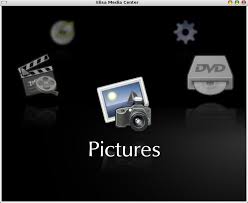
If you don't need all the craziness of Boxee and just want a simple media center, take a look at Fluendo's Elisa. It uses GStreamer, already the default A/V decoder on Ubuntu, so it won't add a lot of weight to your installation.
Add this line to Software Sources:
deb http://ppa.launchpad.net/elisa-developers/ppa/ubuntu intrepid main
When you are finished, install the elisa package and update your computer.
Netbook Remix
One of the most innovative things to come out of the Ubuntu camp is the neetbook remix interface. Want to try it out?
Add this line to Software Sources:
deb http://ppa.launchpad.net/netbook-remix-team/ubuntu intrepid main
Then follow the detailed instructions on how to get it running.
Gnome Do
This launcher amazes everyone who tries it. These days, it even comes with an optional dock. Although I don't use it daily, I think everyone should give it a shot.
Add this line to Software Sources:
deb http://ppa.launchpad.net/do-core/ppa/ubuntu intrepid main
When you are finished, install the gnome-do package.
Deluge
Intrepid comes with the Transmission BitTorrent client installed, and Tranmission is fine, but Deluge is a full-featured client which rivals and may now beat the Azureus cum Vuze client that so many people swore by for years. As a bonus, Deluge is a GTK2 application, so it doesn't use up 50% of your CPU while running several torrents. Deluge has a wide-array of features, including:
Web UI
BitTorrent Protocol Encryption
Mainline DHT
Local Peer Discovery (aka LSD)
FAST protocol extension
µTorrent Peer Exchange
UPnP and NAT-PMP
Proxy support
Private Torrents
Global and per-torrent speed limits
Password protection
Add this line to Software Sources:
deb http://ppa.launchpad.net/deluge-team/ubuntu intrepid main
When you are finished, install the deluge package.
Google Gadget
Google used to host a repo itself, but that went away and we are just left with a PPA for Google Gadgets. It's for Hardy (8.04), but there doesn't appear to be a problem with running it on Intrepid. Caveat emptor.
Add this line to Software Sources:
deb http://ppa.launchpad.net/googlegadgets/ppa/ubuntu hardy main
When you are finished, install the google-gadgets package.
Mythbuntu
If you installed Mythbuntu and want to keep up with the latest release of MythTV, including all kinds of extra plug-ins:
mytharchive create and burn DVD's from MythTV - binary file
mytharchive-data create and burn DVD's from MythTV - data files
mythcontrols External controls for MythTV
mythflix netflix module for MythTV
mythgallery Image gallery/slideshow add-on module for MythTV
mythgame Emulator & PC Game frontend module for MythTV
mythmovies Find nearby movies and cinema listings
mythmusic Music add-on module for MythTV
mythnews An RSS feed news reader module for MythTV
mythphone a phone and videophone module for MythTV
mythplugins Metapackage for MythTV plugins
mythvideo A generic video player frontend module for MythTV
mythweather Weather add-on module for MythTV
mythweb Web interface add-on module for MythTV
mythzoneminder view status and display footage recorded with zoneminder
Add this line to Software Sources:
deb http://ppa.launchpad.net/mythbuntu/ubuntu intrepid main
When you are finished, update your installation.
Compiz
Compiz Fusion comes standard on Ubuntu, but you might want to keep up with the mosst current version to have all that extra BLING.
Add this line to Software Sources:
deb http://ppa.launchpad.net/compiz/ubuntu intrepid main
When you are finished, update your installation.
Miro
"Miro is a free HD video player." Somehow, the website's description falls so short that I don't know how Miro is as successful as it is. They must be going understated. It aggregates a browser, an RSS reader, a bittorent client, and a video player. Want TV on your computer? Get miro.
Add this line to Software Sources:
deb http://ftp.osuosl.org/pub/pculture.org/miro/linux/repositories/ubuntu intrepid/
When you are finished, install the miro package.
Shutter
Vadi recommends Shutter (recently renamed from GScrot), an extremely capable screenshot tool. Features include:
take a screenshot of your complete desktop, a rectangular area or capture a website
take screenshot directly or with a specified delay time
save the screenshots to a specified directory and name them in a convenient way (using special wild-cards)
Shutter is fully integrated into the Gnome Desktop (TrayIcon etc.)
generate thumbnails directly when you are taking a screenshot and set a size level in %
Shutter session collection
keep track of all screenshots during session
copy screeners to clipboard
print screenshots
delete screenshots
rename your file
upload your files directly to Image-Hosters (e.g. http://ubuntu-pics.de), retrieve all the needed links and share them with others
edit your screenshots directly using the embedded drawing tool.
Commenters recommend AppSpot and the Ubuntu PPA search to find repositories for applications you may need. AppSpot even has a grouping of recent searches to spur your imagination.
Keys
You'll have some package manager complaints about keys if you're not careful. Import these keys to get rid of the warnings. Allaun recommends using the NO_PUBKEY value (e.g. C5E6A5ED249AD24C) to add the key with the following command.
If you use the manual method, open 1) a browser 2) a text editor 3) Software Sources Open the page from the http: lines listed below, then copy the part of the displayed text which begins at " -----BEGIN PGP PUBLIC KEY BLOCK-----" and ends at " -----END PGP PUBLIC KEY BLOCK-----" Paste that into your text editor and save it as delugekey.gpg or something similar. Then use Software Sources to import the saved key file in the "Authentication" tab.

![Reblog this post [with Zemanta]](http://img.zemanta.com/reblog_e.png?x-id=8a388c7f-1c4b-4888-85f5-317f83d7c3c6)


![Reblog this post [with Zemanta]](http://img.zemanta.com/reblog_e.png?x-id=e5f753db-f2d1-4670-bc04-2050fc5861a8)
![Reblog this post [with Zemanta]](http://img.zemanta.com/reblog_e.png?x-id=475ba76f-795c-471f-a6b4-13e2b0df9787)
![Reblog this post [with Zemanta]](http://img.zemanta.com/reblog_e.png?x-id=f8288b1c-5323-42fd-a804-0c3aec7fbfdf)


![Reblog this post [with Zemanta]](http://img.zemanta.com/reblog_e.png?x-id=94fd9b0d-f070-4eac-91c9-09923dc1c997)













![Reblog this post [with Zemanta]](http://img.zemanta.com/reblog_e.png?x-id=ecafa4a6-dd44-4e8e-846f-c5b4ad0c310b)

