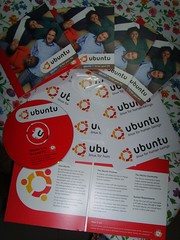
Everyone has their share of Karmic Koala stories (well, not everyone, but most people). Since I had four home machines on different distributions and versions, and since I had moved to Thailand where bandwidth is somewhat limited, I decided to standardize on Ubuntu 9.10 x86 and use an apt cache to help ease the bandwidth burden for mirrors and the country.
My re-installations weren't without problems. Here are the ones I personally ran into. No hearsay here ... say. Ahem.
Flashing text and no X after installation, but only on one of the four. All four have i945 chips.
Samba (and network in general) discovery isn't working correctly.
Avahi doesn't work due to .local domain on the ISP's part, and disabling the check is no longer an option in /etc/default/avahi-daemon (which doesn't exist now). It's possible, but it's hard-coded into the start-up script, meaning that any updates will kill my change.
One machine that tracked the beta had a completely broken GStreamer until re-installation.
Amazingly long Firefox freezes. I'm talking about over a minute. I've tried turned off safe browsing but that didn't change the behavior.
Brasero problems (of course!). Known bugs for eight months or so regarding DVD writes.
Totem Video Disk plug-in doesn't work since it uses Brasero.
None of these are show-stoppers for me, but they are certainly annoyances. One of these is hardware related. The others are just half-sharpened pencils.
Since ChromeOS requires Ubuntu to build the new operating system (and is based on it), I can't ignore it, can I? I may get fancy-schmancy and build it if an image doesn't come on-line in an hour or two.
About ChromeOS
Security
Open Development
Boot Speed
ChromeOS in Summary
The OS is Chrome, basically
All apps are web-based
There's no permanent local storage and everything is stored on the Internet
But thumb drives are supported
Local config and cache are encrypted
File browsing is done from within Chrome
Music and videos, too
There's no printing
The OS is self-repairing at boot, probably limiting the customization
But it's largely open source so you can customize and compile your own
"They want, wherever feasible, to build on existing components and tools from the open source community without unnecessary re-invention. This clear focus should benefit a wide variety of existing projects and we welcome it."[1]
D-Bus: The browser uses D-Bus to interact with the rest of the system. Examples of this include the battery meter and network picker.
Connection Manager: Provides a common API for interacting with the network devices, provides a DNS proxy, and manages network services for 3G, wireless, and ethernet.
WPA Supplicant: Used to connect to wireless networks.
Autoupdate: Our autoupdate daemon silently installs new system images.
Power Management: (ACPI on Intel) Handles power management events like closing the lid or pushing the power button.
xscreensaver: Handles screen locking when the machine is idle.
Standard Linux services: NTP, syslog, and cron.
Security Model
Process sandboxing
Mandatory access control implementation that limits resource, process, and kernel interactions
Control group device filtering and resource abuse constraint
Chrooting and process namespacing for reducing resource and cross-process attack surfaces
Media device interposition to reduce direct kernel interface access from Chromium browser and plugin processes
Toolchain hardening to limit exploit reliability and success
NX, ASLR, stack cookies, etc
Kernel hardening and configuration paring
Additional file system restrictions
Read-only root partition
tmpfs-based /tmp
User home directories that can't have executables, privileged executables, or device nodes
Longer term, additional system enhancements will be pursued, like driver sandboxing
How encryption works
In a nutshell, each user gets an encrypted image file in a hidden directory that is created at her first login. Thereafter, each time she logs in, the encrypted image is unlocked and made available for use. On logout or reboot, the user's data is locked away again. On some logouts, the encrypted image may be compacted. This step minimizes data loss due to file system fragmentation inside the image.
After writing my post about the default applications in Ubuntu last night, I had some thoughts which Fieldyweb might agree with:
What they should do, is redesign that, take ALL the apps out of Ubuntu, other than ff add adobe flash and as many codecs, 3g ethernet and wifi drivers as they can get away with, then redesign the app store, so if you want printing, you install it from there, if you want evolution, gimp whatever you install it from there.
My opinion is that the universe and multiverse repositories contain too much software for Ubuntu to QA properly. The number of bug reports during alpha and beta is so large that many of them aren't triaged until long after release. The release bugs aren't triaged until the next version is just around the corner. Invalid is the natural response in that situation.
Ubuntu is a foundation-run project, but the software reflects on Canonical, which sells support. The Self-Appointed Benevolent Dictator for Life needs to take the lead here and move the MOTUs out of the official Ubuntu repositories and into Launchpad, Canonical's code hosting and buid server. Making optional software available in individual PPAs, will mean that Ubuntu becomes responsible for much less and can concentrate on making the applications in main, especially default applications. Canonical can work toward its stated goal of creating a worthy competitor to OS X 10.6 (Snow Leopard) and Windows 7.
What would the process of moving towards more streamlined look like? First, there would be no more mass import from Debian Unstable. Ubuntu would be responsible for the basic application and drivers necessary to run the various projects. MOTUs should be encouraged to move as quickly as possible to PPAs. AptURL should have the prohibition on PPAs removed for Launchpad.net. Finally, the Software Center needs to be reworked into a front-end for Launchpad PPAs. Backports will be responsible only for core applications (and likely only for LTS releases).
In the end, MOTUs and their PPAs would be obviously responsible for third-party package bugs which are now blamed on Ubuntu. Ubuntu development would more closely model its rivals (OS X and Windows), concentrating on the core OS and leaving the extra applications to interested parties. Users would still get one-click installation of software. Users would also stop bitching about having to upgrade in order get the newest software. The default Ubuntu install would just work.
There are some problems with this approach:
Making sure users understand how to get PPA software and that the process is easy. This is solved using AptURL and one-click adding of PPAs and keys.
Enforcing a packaging method in PPAs which limits or eliminates dependency conflicts. This is solved by having the software center only search for MOTU PPAs, where MOTUs are responsible for limited numbers of packages. Python bindings for Coherence (uPnP) are handled by one MOTU and Python programs which use that binding are assigned to other MOTUs.
Ubuntu will definitely get some backlash for supporting fewer applications. Hopefully, this problem is mitigated by the improved quality of the core OS.
You may have heard that GIMP and F-Spot aren't safe for inclusion in 10.04. 700MB isn't much space to work with Why not question all the applications in Ubuntu, then? What should be in the default installation? I'll look category by category, but I'll talk a little about why the current defaults are chosen first.
Ubuntu is first and foremost a GNOME distribution. It takes GNOME applications unless there's a definitive reason not to. For example, Firefox was originally used instead of the GNOME default Epiphany browser because Epiphany was in a terrible state at the time, and FF is still preferred because it's a very poplar browser and serves as a familiar signpost to switchers. But mostly, you've got Totem, Nautlius, Evolution, and all the gang. Ubuntu thus looks much like any other GNOME distribution.
But it doesn't have to be that way. The questions about The GIMP are great -- they represent a critical look at what should be included. How many people do advanced photo editing? Few, probably. I would guess that the same can be said for PIMminess. Has the average user even even opened Evolution? Most home users handle all their personal business through web services like Yahoo! or Google.
First of all, UBuntu needs to decide whether it wants to be a home or professional operating system. Pro users want different things out of the box. Trying to please both sets of users with one CD is an exercise in frustration. Take a look at the table below to see what groups I think want various features (and keep in mind that it's easy to install these bits if you are an exception).
Using very rough calculations (via apt-cache show's size), the home user profile above would shave 75-80MB. That's more than enough to add more themes, a video introduction on first run, a video editor, cool games, or other things deemed useful for the home user. The corporate user will only get 60MB or so, but you could then make a case for removing Tomboy so that Mono could be ripped out, saving even more space. What would go in instead? Certainly the would be tools for connecting to directory services. Tracker should be installed and Nautilus should have Tracker functionality re-enabled.
Ubuntu devs are constantly fighting amongst themselves about which applications deserve to be on that tiny, 700MB disk. Serving two different customer bases with one CD just makes that problem worse.
You may have started to hear rumors that The GIMP and F-Spot aren't safe for inclusion in 10.04 Lucid Lynx. "What?!?" you say. "The GIMP has been in every GNOME distribution since GNOME existed (sinceGNOME is written to GTK, which stands for the GIMP ToolKit)." Well, well. Good idea. Not likely to move forward.
The argument goes like this:
Not many people actually edit photos.
Fewer people use GIMP to do the editing, since the interface may be difficult for some.
Most of the editing people want to do on photos is available from within F-Spot, and thus GIMP is duplicating functionality.
I think getting rid of The GIMP in the default install is a great idea. It takes up precious space on the Ubuntu Live CD. It's easy to add later by searching for "graphics editor" or "photo editor." Unfortunately, getiing rid of the GIMP means that F-Spot needs to be examined, and it has been in a terrible state for several releases.
It didn't work at all on 8.04 AMD64 at release time.
It had an awful "the sidebar has zero width" bug for two other releases.
It doesn't categorize or edit photos that aren't imported, even if those photos are in the ~/Pictures folder.
The sharks circle F-Spot and say "since we're removing The GIMP, let's replace F-Spot, too. $Foo is a great project," where $Foo is one of:
gThumb has been around for a long time (and is still the default for Fedora), but was replaced with F-Spot on Ubuntu several years ago. Are the Ubuntu developers going to admit that moving to F-Spot was a mistake? Are they going to appear to cave in to the Ubuntu users that oppose Mono apps in the default installation?
Shotwell is a new photo management app for GNOME written in Vala, and it gets decent reviews. Still, it's new, untested, and doesn't support tagging or real editing options. Check out the Shotwell PPA by entering "ppa:yorba/ppa" into the Software Sources -> Third-party tab.
So ... I don't think it's going to happen. I'd like to see this change (along with some others in the default application area), but there's not a clear path forward, and definitely not enough agreement to get a real plan.
My preference? Leave 10.04LTS alone, get it as stable and bug-free as possible, and look to replace F-Spot with Solang (install Solang) in 10.10 when GNOME 2.X gives way to GNOME 3. Debarshi Ray has put a lot of work into this project. It's a photo manager which stores tagging information in Tracker, and he's written a Nautilus plug-in which handles Tracker tags, as well. Wouldn't it be nice if the information you entered in your photo manager was available to your other applications, and to Zeitgeist, as well?
I've been "gone" for almost three months now. I didn't plan for it to be that long, but there were several factors slowing me down.
Korea instituted its i-PIN law requiring real-name registration for websites with over 100,000 daily visitors. Suddenly, I was unable to log into many of the resources that I used to get good information from.
My computers took six weeks to be shipped from Korea to Thailand. I didn't want to slap crap articles together in an hour at an Internet cafe. (What's this, then, eh?)
I couldn't get Internet here for almost two weeks. (There's a whole rant I could go into over that!)
I should be getting back into the swing of things this week, though, and I'll ramp up the posting. With Ubuntu 9.10, OS X Snow Leopard, and Windows 77 coming out of the gate, I've got plenty of material to work with.
One question for Linux gurus: Why is it that Linux/Ubuntu is said to be so secure..? (to the point you almost don't need AV)
Is it because simply no viruses are programmed for Linux (like Macs), or is there something special about Linux architecture/core that makes it less vulnerable to attacks..?
I'm not a guru, though with twelve years' experience, I feel I am qualified to answer.
The most important part involves the history of Unix (Linux is a Unix-alike), Which is forty years old. Unix has had privilege separation and emphasized multi-user environments for over thirty years, While the system for privilege separation is rather simple by today's standards, every program on any modern Unix (or Linux) grew out of the Unix multi-user culture. Programs respect it. They don't require Root (Admin) privileges to run. They don't expect a single user environment.
Like I said, this user/group/all privilege system is too simple to be comprehensively secure with all the sophisticated attack methods people use these days. SELinux and AppArmor are additional systems which sit on top of the old u-g-a system and which sandbox processes. Ubuntu uses AppArmor for a lot of applications.
On the other hand, desktop systems like Windows and Mac come from a single-user culture. Sure, the NT kernel and XNU kernel (part of Darwin) used by modern versions of Windows and Mac both have privelege separation (and in fact, Mac is a certified Unix, unlike Linux), but the cultures have long been single-user, and applications written on top of the kernels express that. It's difficult to secure a system when the applications are fighting you. In fact, Windows' security model is probably more advanced than Ubuntu's now, but some poor programming practices and the single-user culture shoot Windows' security in the foot. Mac, too, makes extreme compromises in the name of user-friendliness and sets itself up as the first to be the first to go down in all the Pwn2Own competitions.
Secondly, we have diversity and heterogeneity. Microsoft makes great effort to retain backward compatibility between releases. In other words, the ABI is stable. Binary programs which worked in version N-1 are expected to work in version N. The Linux kernel promises nothing of the sort, and indeed, seems to take great pride in changing the ABI as often as possible. Binary applications break randomly and no one makes an effort to stop that. Imagine being a Trojan or virus trying to keep up with the latest version. At any one time, there are tens of kernel versions in the wild, and in truth, each distribution generally has a slightly customized version.
Why doesn't that lack of ABI stabiliuty destroy the Linux ecosystem? Well, because few programs are binary. Linux has a relatively stable API, so applications can be easily re-compiled (by Debian and Ubuntu, in this case) to use the new kernel headers.
When you look on top of the kernel layer, you see even more heterogeneity, Not only do you have desktops for GNOME and KDE, but XFCE, ROX and LXDE. You have window managers like OpenBox, FluxBox, and RatPoison. You have two different print systems. You have three major word processors. i don't even want to count the number of browsers, file managers, and text editors. In a diverse system like this, what attack can be automated? Non-automated attacks are costly. Heck, you can even run Debian on the FreeBSD kernel if you want to.
Which is the more attractive target for automated attacks?
Finally, you have the market share factor. It's real. Windows is a large target with that homogeneity that Linux lacks. Not only does Linux have 1-2% of the installed base, that 1-2% is misleading ... because each distro is in actuality a different OS which likely needs different automated scans to be penetrated. How is all that work worth the effort?
Is Linux impenetrable? No, of course not. Red Hat 5 and 6 were especially vulnerable to some automated attacks, and one of my boxes even got owned back in 2000 or so. These days, there's not so much to worry about, but you are unlikely to stop a dedicated and talented individual from breaking in unless you know a good deal about system hardening. Then there's the user issue. Create a nice trojan. Package it as a .deb. Advertise it as a great new screensaver. Get users to install the .deb. Bang! The users are owned.
The weakest link is always the user. Once Linux gets an install base outside of techies, I expect we'll see some trojans.


![Reblog this post [with Zemanta]](https://lh3.googleusercontent.com/blogger_img_proxy/AEn0k_s0i2IMeAu5WF5LD8beQoa19Hq-YBLAewCqd79BxO-Bua177J3DIPNiR7YBlOjqaBu8D-iMTWEqRRxYfC7CMJD-GXYNIOw85szR_LmzQ3r_H7TIf4uy5_uc6ZC4-iqu0zbZaUcuWTagfOWB-wNWbDqu=s0-d)


![Reblog this post [with Zemanta]](https://lh3.googleusercontent.com/blogger_img_proxy/AEn0k_ssxQBS6bfIgrCe3iWzrwlGQgVYHV8SK_1kkAdkDmqPlVJJndBsWqlITdboT4QG2OrGx6jCGKR-91ZKPEMwJ6s2EuQRYGikrZeoD1p2vKlxGXnN6Fdv4Q9GLgdD4Vm4caBr01BGspk_ma1KLKqeUOCX=s0-d)


![Reblog this post [with Zemanta]](https://lh3.googleusercontent.com/blogger_img_proxy/AEn0k_snMcIrX4nOSsocDsnME3TMbAY_iVqbWrqoZXk9FsIDc2w-fmL_uvilun88DKsZkbSYT77w9zaVVRjAaXq6BVVx6Vxfv5wQNk_CtwTICnKfIgOajP6F1CsOAh9rbLRXj1qk3k83Hbrhrz7FB1woONZo=s0-d)

![Reblog this post [with Zemanta]](https://lh3.googleusercontent.com/blogger_img_proxy/AEn0k_u3saeOhVjqL238KUFo-8Di1fV1q-6a8dDSLPQNTV67aGKBTwSt7lY0t4gH7HVpAjJ7D67z1aNcwP-7D5eaFWVTd-ZnAZfabGgJqbJ7-hB9kPIp5nW0hVqk7CNIMPXMQA0rbT10zc6jay3Ul6ra7c8=s0-d)